


MATHSBOX
Home
Primary
Secondary
A Level
Follow the steps below to create a bingo game using the 30 questions you have selected
×
Username
Password
Get account information
Save your game for 7 days
×
Make a note of this code as you will need it to access your bingo game
SAVE GAME
Play a saved game
×
Enter your username and bingo code to access your saved bingo game questions
Play saved game
Step 1
The 30 questions are shown below (option to print)
1
qn1
2
qn1
3
qn1
4
qn1
5
qn1
6
qn1
7
qn1
8
qn1
9
qn1
10
qn1
11
qn1
12
qn1
13
qn1
14
qn1
15
qn1
16
qn1
17
qn1
18
qn1
19
qn1
20
qn1
21
qn1
22
qn1
23
qn1
24
qn1
25
qn1
26
qn1
27
qn1
28
qn1
29
qn1
30
qn1

Step 2
Get the cards ready for the game
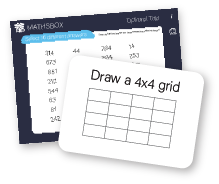
Ask students to select 16 answers and arrange these in their grids
DIY cards
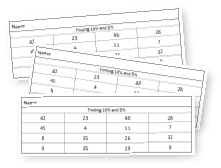
Print a class set of pre-made cards with 16 answers per card
Print
Optional : Save your game for up to 7 days
Step 3
Play the game
Play the game
Play a saved game
DIY Games
Make your own bingo games using our Question Gnereators
Select the 'Key Stage'
Select 'Question Generators'
Pick your own questions